The short answer
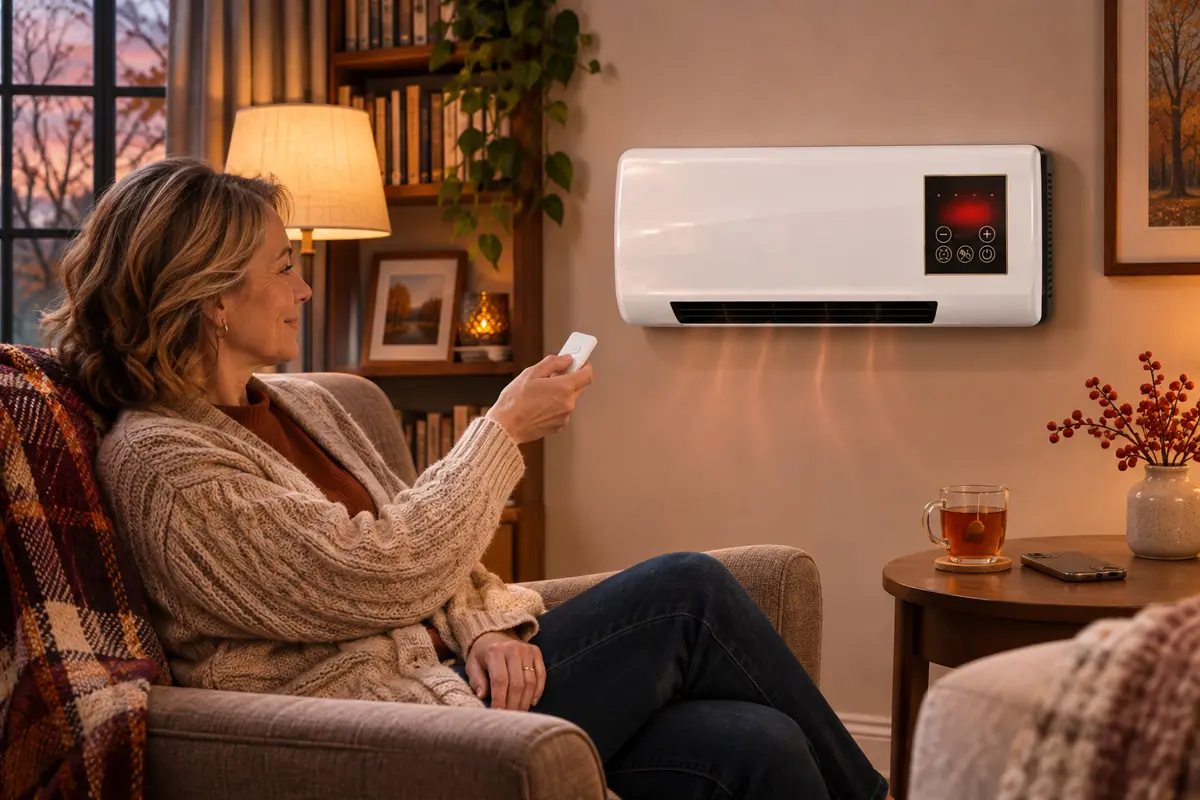
Most people do not need a smart space heater. The features that actually save energy and add safety are a thermostat that holds your set temperature and a timer that shuts the heater off, and those work without an app. Smart plugs are a gray area: fire-safety groups say to plug heaters straight into the wall, and an 1800 W heater draws about 15 A, the limit of many plugs. And official advice is to turn heaters off when you leave the room, which rules out the most-advertised app trick: warming an empty house before you get home. A heater with the controls built in, such as the Power Heat Pro (thermostat, auto-off timer and remote), gives you the useful part of “smart” with nothing to set up.
Search for a new space heater this winter and half the listings say “smart”: Wi-Fi, an app, schedules, voice control. At the same time, millions of people already plug ordinary heaters into smart plugs so they can switch them from their phones. Is any of that worth it, and is it safe? Below we sort the digital features into the ones that matter and the ones that are mostly marketing, look at what fire-safety authorities say about leaving heaters on, do the smart plug math, and finish with a checklist of phone settings that genuinely make winter heating safer and cheaper.
What “smart” adds, feature by feature
| Feature | Smart (Wi-Fi) heater | Heater with built-in controls | Do you need the app? |
|---|---|---|---|
| Hold a set temperature | Thermostat, adjustable in the app | Thermostat on the panel or remote | No |
| Shut off automatically | Schedules and timers in the app | Auto-off timer on the panel or remote | No |
| Adjust from across the room | Phone | Remote control | No |
| Weekly schedule (on at 6 a.m. on weekdays) | Yes | Usually not | Only if you want it |
| Voice assistants | Often | No | Only if you want it |
| Turn on while you are away | Yes | No | Against official safety advice |
| Energy reports | Some models | No (a plug-in meter does it) | Optional |
The pattern is clear: the two features that change your comfort and your bill, the thermostat and the timer, do not need Wi-Fi. What the app adds is convenience, plus one feature that safety authorities advise against.
The remote start problem: what fire-safety authorities say
Space heaters are not just another gadget. The National Fire Protection Association reports that space heaters account for about one-third of home heating equipment fires but nearly nine out of ten of the deaths, and its safety materials stress turning portable heaters off when leaving the room or going to bed. The U.S. Fire Administration gives the same advice in plain words: turn space heaters off when leaving the room or going to bed, and keep anything that can burn at least 3 feet away.
That is why the most-advertised app feature, switching the heater on from the office so the room is warm when you get home, is the one we would skip. An empty room means nobody notices a blanket that slipped too close or a pet that knocked something over. Use your phone to turn heaters off and down; turn them on when you are there.
Smart plugs and space heaters: the math and the gray area
Plugging an ordinary heater into a smart plug is the cheapest way to make it “smart,” and it is where most of the risk sits. Three facts are worth knowing:
- Heaters pull a lot of current for hours. At 120 volts, a 1500 W heater draws about 12.5 amps and an 1800 W heater about 15 amps (watts divided by volts). Many smart plugs are rated at 15 amps or less, so an 1800 W heater runs them at their limit, continuously.
- The wall-outlet rule. Fire-safety guidance, including NFPA’s, is to plug space heaters directly into a wall outlet, never into an extension cord or power strip. A smart plug is another adapter between the heater and the wall, so check what your heater manual allows before adding one.
- A smart plug is not a thermostat. A smart plug can only cut power. It does not know the room temperature, so it either runs the heater flat out or not at all.
If you do use one, pick a plug clearly rated above the heater’s draw and listed by a recognized testing lab, put it directly in the wall outlet, never share it with another device, and use it to switch the heater off rather than on. Simpler still: choose a heater with its own timer and thermostat, and the plug becomes unnecessary.
When you genuinely do not need an app
For one person warming one room, which is what most space heaters do, an app rarely earns its keep. You are in the room, so a remote handles adjustments; the thermostat stops the heater from running flat out; and the timer covers the “I fell asleep” moment. No Wi-Fi password, no account, no firmware updates and nothing to break when the router goes down. If you want to know what a heater actually costs to run, a plug-in energy meter tells you more than most apps (our guide to space heater electricity costs shows the numbers).
Configure your phone today: a checklist for safer, cheaper heating
- A nightly “heaters off?” reminderA recurring alarm at your usual bedtime takes ten seconds to set and matches the official “off when you go to bed” advice.
- Freeze and storm alertsTurn on severe-weather notifications in your weather app so a cold snap never surprises you.
- Your utility’s app or text alertsOutage alerts plus usage graphs show what heating really costs you this month.
- A photo of every heater’s labelModel and serial number in one album make a recall check on CPSC.gov a one-minute job, part of our year-end space heater safety checklist.
- A room-temperature noteJot down the temperature in your coldest room for a few evenings; it tells you where a heater is worth it (see how to measure room temperature correctly).
- Smoke alarm test on the calendarA monthly calendar event reminds you to press the test button on each alarm.
Our recommendation: Power Heat Pro
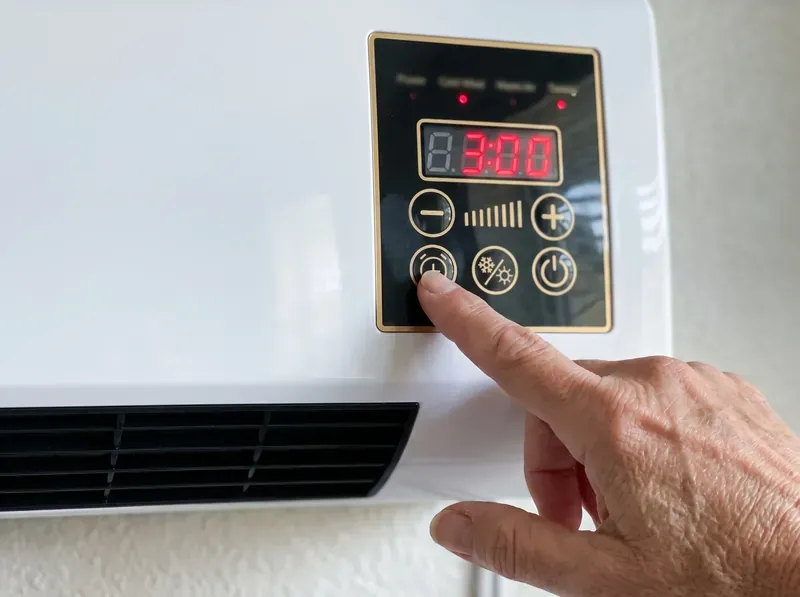
If you want the useful half of “smart” without the app, Wi-Fi or smart plug gray area, the Power Heat Pro is the heater we recommend. Everything that matters is built in: an adjustable thermostat that holds the temperature you set (the maker publishes a 16–40 °C range), an auto-off timer you set in 1-hour steps so it switches itself off at night, and a remote control for on, off, heat and fan from across the room. It hangs on the wall on its included bracket, away from bedding, rugs, kids and pets, and plugs straight into a wall outlet, exactly as fire-safety guidance recommends.
- Thermostat built in: steady warmth instead of running flat out.
- Auto-off timer: set it once at bedtime; no app, no schedule to program.
- Remote control: adjust from your chair or bed.
- 1800 W ceramic, wall-mounted: fast warmth for the room you are in, off the floor.
On the official checkout (checked November 15, 2026), one Power Heat Pro is $99.99 and the two-pack works out to $79.99 per unit ($159.98). Every order is covered by a 30-day money-back guarantee, and the maker advertises fast shipping. Plug it into the wall, set the thermostat and timer, and your phone can go back to being a phone.
Want every detail first? Read our full Power Heat Pro review — specs, controls, scorecard and verdict.
Sources: National Fire Protection Association (NFPA), home heating safety (space heaters about one-third of home heating fires and nearly nine in ten deaths; turn portable heaters off when leaving the room or going to bed; plug directly into a wall outlet); U.S. Fire Administration, heating fire safety (turn space heaters off when leaving the room or going to bed; 3-foot clearance). Amp figures are calculated (watts ÷ 120 volts). Checked November 22, 2026. General safety information; always follow your heater’s and smart plug’s manuals.
Frequently asked questions
Is a smart space heater worth it?
It depends on what you want from it. Wi-Fi heaters add app control, schedules and voice commands, but the features that save energy and keep you comfortable are a thermostat that holds a set temperature and a timer that shuts the heater off. If a heater already has both plus a remote, most people do not need the app.
Can I plug a space heater into a smart plug?
Be careful. Fire-safety groups advise plugging space heaters directly into a wall outlet, and a smart plug adds an adapter in between. A typical 1500 W heater draws about 12.5 amps and an 1800 W heater about 15 amps at 120 volts, which is at or near the limit of many smart plugs. Read the heater manual and the plug rating first; a heater with its own timer and thermostat avoids the question.
Is it safe to turn on a space heater remotely before I get home?
Official advice points the other way: the U.S. Fire Administration says to turn space heaters off when leaving the room or going to bed, and NFPA says the same for portable heaters. Starting a heater in an empty room means nobody is there to notice a problem, so it is safer to switch it on when you arrive.
Does a space heater need Wi-Fi to have a timer?
No. Many heaters have a built-in timer on the control panel or remote that switches the heater off after a set number of hours. The Power Heat Pro, for example, has an auto-off timer you set in 1-hour steps, with no app or Wi-Fi involved.
Can Alexa or Google turn on my space heater?
Only if the heater is a Wi-Fi model that supports those assistants or it is plugged into a compatible smart plug. Because heaters should be turned off when you leave the room, voice control is most useful for turning a heater off or down, not for starting it when nobody is home.
How can my phone help me heat my home more safely?
Set a bedtime reminder to check that heaters are off, turn on freeze and outage alerts from your weather and utility apps, use your utility app to watch winter usage, and keep a note of each heater’s model number so you can check recalls on CPSC.gov in seconds.